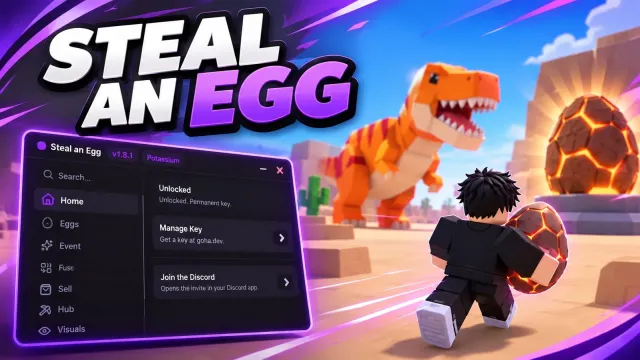
Goha Wisp v1.2.0 for Steal An Egg — Source Review
Read Goha’s Wisp v1.2.0 Steal An Egg source review for egg filters, Wisp quests and butterflies. Check the event-key exception and creator compatibility limits.
Mobile-readyNo key systemFree
Find your next Steal An Egg script. Explore features, compare requirements and understand compatibility before you choose.

Find the right script for your game. Compare features, platform details and key requirements in one place.
Choosing a scriptSteal An Egg combines finding eggs, hatching pets, improving a base and training speed. Those steps create several different script-search intents: selecting which eggs to target, managing eggs already on a plot, hatching ready eggs and upgrading a treadmill. A broad “auto steal” title does not explain the whole sequence.
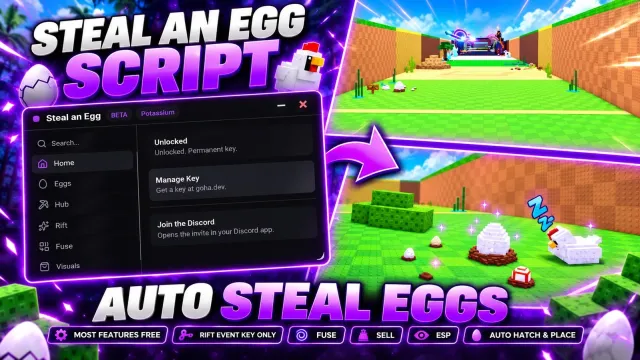
Our selected entry is Goha’s Wisp v1.2.0 listing, an update to its earlier Dr. Scramble’s description. It separates egg selection, plot tasks and event functions, with rarity, mutation and income filters. The connected review explains the Wisp quests, butterfly collection and essence-crafting claims added in its source description. Kira Hub is currently excluded from the selected group because its script-file link is unavailable.
Area, rarity, mutation and income filters determine which objects a listing claims to select. Placement and hatching are separate steps. Pet-selling and fusion descriptions should also explain their exclusions: a broad “auto sell” label does not tell you whether favorite, equipped or mutated pets are protected.
Goha describes an event-tab key requirement, even though the structured source flag is no-key. The review explicitly records that exception. Its author also excludes certain executors. A general mobile or keyless label should not erase those more specific conditions.
We checked source-file availability and excluded candidates whose files returned a missing-resource response. The full catalog remains available below. File availability does not establish a successful in-game action, current event support or detection avoidance. We also keep this game separate from Steal a Brainrot: they are different Roblox experiences with different source identities and mechanics.
Guide updated: Oct 6, 2026
Read Goha’s Wisp v1.2.0 Steal An Egg source review for egg filters, Wisp quests and butterflies. Check the event-key exception and creator compatibility limits.
Find an entry that fits your setup.
Explore Auto farm. View the script for features and requirements.
Explore Auto farm, Teleport. View the script for features and requirements.
Explore this Steal an Egg script’s features, access requirements and game details.
Explore this Steal an Egg script’s features, access requirements and game details.
Explore this Steal an Egg script’s features, access requirements and game details.
Explore Auto farm. View the script for features and requirements.
Explore Teleport. View the script for features and requirements.
Explore this Steal an Egg script’s features, access requirements and game details.
Explore Teleport. View the script for features and requirements.
Explore Auto farm, Teleport. View the script for features and requirements.
Explore Auto farm. View the script for features and requirements.
Explore Auto farm. View the script for features and requirements.
Explore Auto farm. View the script for features and requirements.
Explore Auto farm. View the script for features and requirements.
Explore Auto farm, Teleport. View the script for features and requirements.
Explore Auto farm, Teleport. View the script for features and requirements.
Explore Auto farm. View the script for features and requirements.
Explore this Steal an Egg script’s features, access requirements and game details.
Understand the labels before opening an entry.
Start with this game’s selected listings, compare the feature descriptions and check key, platform and access requirements. Use the filters to narrow the full catalog.
Some scripts require a separate key from their creator before use. That is different from an executor software license. Check the individual entry for its requirements.
Choose your device platform to narrow the listings, then open a script to check its individual executor requirements. Mobile-ready is a separate listing label; not every entry has platform details.
The date refers to the creator’s script listing. Check its feature and access notes for changes. Game updates and listing updates can happen at different times.