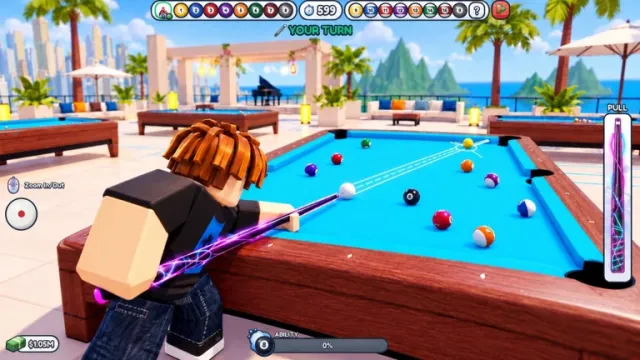
School Hub for CRAZY 8 Ball supports both 8 Ball and 9 Ball through the same loader, with independent controls in the shared School Hub menu.Auto Play plans a shot for your turn and includes an adjustable think delay. Play One Shot Now queues one shot, while Cancel pending shot stops a queued plan. Auto Play and visual features have separate switches. If the cue ball is in hand, place it manually before planning a shot.Trajectory Guideline uses the game's ball physics to preview cue-ball and object-ball paths. Follow Cue Power, Only On My Turn, per-ball colors, ghost ball, stop/pot markers, opponent guideline and nearby-table paths are separate options. Adjust preview power, displayed path duration, line thickness and opacity.Visual tools include Ball ESP, ball numbers, pocket markers, nearby-table ESP and adjustable ESP fill. Daylight, Match HUD, shot preview, Power Bar and performance information have their own controls. Table actions let you join the nearest free table, request a rerack or leave your current table.The menu includes anti-AFK, saved preferences, an extra menu-key setting, 10 languages, shared themes, Desktop/Phone layouts, scaling, Pause and Stop. Main activities start disabled on a fresh load. Run in Wave, complete the free key check and enable the features you want. CRAZY 8 BALL with original source attribution retained. School Hub supplies its shared interface and integration.