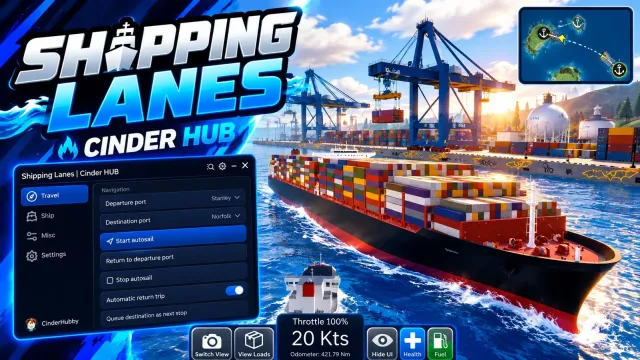
# Autoschwund Shipping LanesAutoschwund Shipping Lanes is an autopilot script for the Roblox Shipping Lanes game that drives, parks, and trades for you. Tested on Madium Executor.## 1. The Basics: Going to a Port1. Get in your ship and sit in the captain's seat (the script won't work if you aren't driving).2. Open the script menu.3. At the top of the window, use the < and > arrows to pick your destination.4. Go to the Status tab and click Start Auto Sail (or just press F7). The ship will now steer itself and avoid islands!## 2. Auto Docking (Parking, Fuel, and Cargo) Turn on *Auto Dock** by pressing F5 (or clicking it on the Status tab). * When your ship reaches the destination, it will automatically park, repair, refuel, and trade your cargo. Make sure to check the *Dock** tab to ensure "Load/unload cargo" is turned on if you want it to trade.## 3. Auto Trip (Infinite Money Loops)Want the ship to go back and forth automatically?1. Go to the Trip tab.2. Pick your starting port (**From**) and ending port (**Destination**). You can also add a Transit stop just for gas and repairs.3. Go back to the Status tab and click Start Auto Trip. It will keep running this loop until you tell it to stop.## 4. Changing the Route Press *M** to open the game map and see the path your ship will take. If you want to change the path, go to the *Sail** tab and turn on Edit on map. Hover over the Route dots and Hold *Ctrl** on your keyboard, drag it to a new spot.* Left click on route lines to add point/dots, Right click to remove.## 5. Handy Shortcuts & Tips* F7: Start or pause driving.* F5: Turn Auto Dock on or off.* Ship parking weirdly? Go to the Misc tab and click Calibrate ship while sitting in open water. It takes about 3 minutes and teaches the script how your specific ship handles. * Won't start? Make sure you are actually seated in the captain's chair, and that you have enough fuel for the trip.