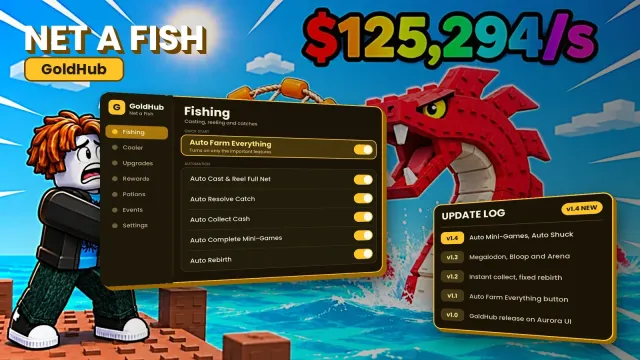
🎣 Fishing — Cast, Reel & Showcase
(Auto Throw — automatically throws your fishing nets so you can keep catching without manually casting)
(Reel In — choose when your nets reel in, including when full or after a selected delay)
(Perfect Reel — automatically performs the perfect reel)
(Auto Collect — walks over your showcase pedestal pads to collect earnings)
(Collect Every — choose how often the script collects from your showcase)
(Auto Equip Best — automatically places your best fish on the showcase)
(Equip Best Now — instantly updates your showcase with your best available fish)
(Live Fishing Status — displays your current fishing state, nets used, net capacity, cash, and income per second)
🧊 Cooler — Sell, Fuse & Shuck
(Auto-Sell at Catch — automatically sells selected fish rarities as soon as they're caught, before they enter your cooler)
(Catch Rarity Filter — choose which rarities get sold immediately)
(Keep Mutated Fish — protects mutated fish from automatic catch selling)
(Auto Fuse — automatically fuses eligible fish in your cooler)
(Auto Sell — continuously sells fish from your cooler based on your selected rarities)
(Rarities to Sell — choose exactly which fish rarities Auto Sell can touch)
(Auto Shuck — automatically turns eligible fish into pearls, following the game's 500-per-day limit)
(Rarities to Shuck — choose which fish rarities are used for pearl shucking)
(Live Cooler Status — shows cooler capacity, current pearls, and how many fish you've shucked today)
🛒 Shop — Nets, Bait & Upgrades
(Cash to Keep — set aside a cash reserve so automated purchases don't spend everything)
(Auto Buy Next Net — automatically purchases your next available fishing net)
(Auto Upgrade — purchases your selected upgrades, prioritizing the cheapest available option)
(Upgrade Selection — choose which upgrades the script should buy)
(Bait Selector — pick your preferred bait or let the script use the best unlocked option)
(Auto Bait — automatically buys and equips your selected bait)
(Rig Selector — choose which fishing rig to use, with an option to keep your current rig)
(Auto Use Potions — automatically uses available potions)
(Auto Buy Potions — travels to the potion stand, purchases supplies, and returns)
(Potions to Buy — select which types of potions the script should restock)
⚓ Crew & Dock — Let the Crew Handle It
(Auto Upgrade Fisherman — automatically purchases available fisherman upgrades)
(Auto Upgrade Spear Gun — automatically improves your spear gun)
(Auto Upgrade Boat — purchases boat upgrades, including hull improvements and other boat parts)
(Auto Skill Points — automatically spends available skill points)
(Skill Branches — choose which skill tree branches receive your points)
🎁 Rewards — The Free Stuff
(Auto Gifts & Daily — automatically collects available playtime gifts, daily login rewards, and offline cash)
(Auto Quests — automates reward handling for contracts and the daily challenge)
(Auto Wheel Spin — automatically uses available wheel spins)
(Auto Index Rewards — automatically claims available fish index rewards)
(Auto Free Clam — claims the free daily clam from the Pearl Shop)
(Redeem All Codes — one button to redeem the script's included codes)
🦈 Events — Big Fish, Bigger Problems
(Auto Megalodon — uses turret mode to automatically shoot the Megalodon during its event)
(Kraken Support — keep Auto Throw enabled so your nets stay in the water and hit the Kraken)
(Auto Equip Best Pet — automatically equips your best available pet)
(Auto Level Pets — automatically levels up pets using duplicates)
♻️ Rebirth — Run It Back
(Auto Rebirth — automatically rebirths when your selected cash requirement is met)
(Rebirth Cash Requirement — choose when the script should rebirth, including immediately or at a multiple of the rebirth cost)
(Buy Nets First — spends available cash on nets before triggering each rebirth)
(Rebirth Reminder — rebirthing resets your cash to $0 while keeping your nets)
⚙️ Settings — The Control Room
(Anti-AFK — prevents inactivity disconnects during longer sessions)
(Stop Everything — immediately stops the script's active automation features)
(Unload Script — stops all features and closes the YSHUB interface)
(Menu Key — customize the keyboard shortcut used to open and close YSHUB)
(Config Manager — save and load your preferred feature settings)
(Configuration Auto-Load — restores saved settings when the script starts)