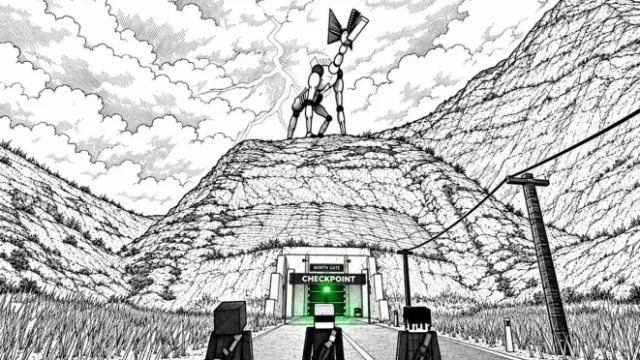
HUSH Roblox Script — Aimbot, ESP, Freecam, Loot Filters & MoreA configurable HUSH helper with a Rayfield menu, color-coded ESP, freecam, loot filters, DEEPWELL navigation, and a noise-awareness HUD.CombatPlayer Aimbot: Aims toward eligible players while holding your aim key, with an optional always-on mode.Target Selection: Choose automatic targeting, head, upper torso, or HumanoidRootPart.Sticky Aim: Keeps the current target instead of constantly switching.Team and Wall Checks: Optionally ignore teammates and targets behind walls.Aim Smoothing: Adjust how quickly the camera moves toward a target.Movement Prediction: Adds an adjustable amount of movement lead.Aim Circle: Adjustable targeting radius with automatic, centered, or cursor positioning.Target Line: Displays a line toward the selected target.Menu Pause: Optionally pauses aiming while the menu is open.Triggerbot: Automatically attempts to fire when an eligible player is under the crosshair. Includes mouse/tool input modes, pulse/hold firing, reaction delay, shot interval, press duration, and range controls.Hitbox Expander: Locally enlarges recognized player head or torso hitboxes. Includes size, transparency, distance, and wall-check settings. Server validation may reject enlarged hits.Camera Recoil Dampener: Reduces camera movement during stationary-mouse firing, with adjustable strength.Visibility Filters: Options to ignore recognized breakable glass and non-collidable effects during relevant targeting checks.Quick Presets: Buttons for responsive aiming and fast trigger timing.Player and Creature ESPPlayer ESP — White: Highlights players with optional character boxes, names, health, and distance. All player text appears above the head.Player Visibility Controls: Enemy-only filtering, through-wall display, text size, and a separate player-distance slider.Listeners — Red: Marks loaded monsters and displays available state and health information.Watchers — Yellow: Highlights loaded Watchers.Sentries — Orange: Highlights sentries and distinguishes patrol and power sentries.Mother — Purple: Highlights the loaded Mother model.Creature Distance: Separately controls the range of creature markers.Refresh ESP: Rebuilds player ESP visuals.Loot ESPLoose Loot — Grey: Shows loaded items with readable names.Item Filters: Individually show or hide weapons, attachments, medical supplies, materials and junk, ammunition, food and drinks, gear and tools, bunker-code notes, and other items.Nested Lockboxes: Detects lockbox models inside map areas, including Kessler Works.Loot Bags: Marks loaded loot-bag locations.Supply Drops — Brown: Marks loaded supply drops.Item Distance: Separately controls loot and map-marker range.Marker Limit: Caps the number of world markers displayed. Code papers receive priority.Map and DEEPWELLCode Paper ESP — Cyan: Marks loaded DEEPWELL code fragments.Ordered Code Tracker: Records each revealed letter in its correct position as you read papers normally. Unread positions remain ?; the tracker clears when the town resets.DEEPWELL Navigation — Cyan: Marks the power breaker, Stores vault door, Armory door, and entrance blast door.Extraction — Green: Marks extraction locations.Noise Traps — Pink: Marks loaded noise traps.Crafting Benches: Marks available bench locations.Bounty Office: Marks the Haven Outpost bounty office.Noise AwarenessNoise Ceiling HUD: Displays the nearest loaded Listener’s distance above an estimated maximum noise level.Compact Display: Transparent text positioned above the game’s “X HANDS UP” prompt.Safety Buffer: Subtracts 6 dB from the estimate. It is not a guaranteed safe limit; walls, special hearing, and unloaded enemies are not modeled.Mother Hearing Status: Shows whether the game reports that Mother hears you.Camera and VisualsFreecam: Move the camera independently using WASD, with E/Space to rise, Q/Left Ctrl to descend, RMB to look, and Shift for faster movement.Freecam Settings: Adjustable movement speed and mouse sensitivity. These settings save, while freecam starts disabled each session.Fullbright: Adjusts lighting for improved visibility.Camera FOV: Optional field-of-view override with an adjustable value.Access and SettingsWork.ink Key System: Get Key, Paste, and Verify controls. Saved keys are checked online each launch and must belong to the HUSH link.Config Saving: Saves feature settings and keybinds, including automatic saving and manual Save, Load, and Reset controls.Custom Keybinds: Rebind supported features through their key badges.Unload: Disconnects the helper and restores tracked changes.Default keys: RMB aim · F1 menu · F4 recoil · F5 freecam · F6 triggerbot · F7 hitboxes · F8 player ESP · End unload.ESP can only display objects loaded by the client. Location markers do not unlock doors or confirm extraction availability. Aim, triggerbot, and hitbox expansion target players.