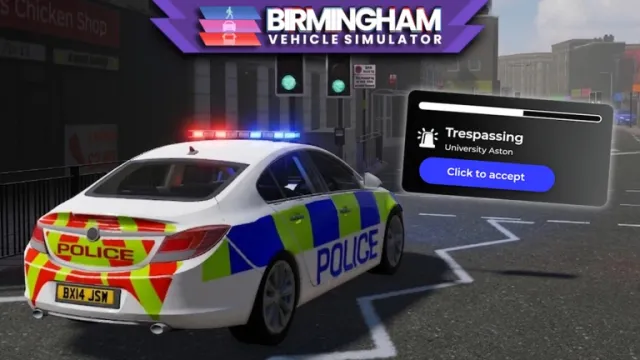
rsHub for BirminghamVehicleSim is FREE, KEYLESS and VIBE CODED.Roblox currently marks this experience as content restricted. Check whether your account can open the game before running the script.Run taxi, bus and emergency jobs in BirminghamVehicleSim with rsHub. Auto Taxi accepts fares, collects passengers and drives to the destination, spawning and entering an owned car when needed. Choose road-following Route mode for per-mile Points or shorter Direct travel, with an adjustable speed.Auto Emergency handles supported ambulance and police incidents, collecting the casualty and driving to a hospital or police station with an owned vehicle. Auto Bus chooses a route or nearby starting point, opens doors at stops and lets the game award the final-stop payment. Bus farming is marked least tested in the script. Switching farms leaves only the selected farm active.Claim ready daily rewards, redeem a typed code, teleport to named locations and show ATMs, speed cameras, job targets, hospitals and police stations. A focus screen tracks actions, Points and completed jobs while farming.Session totals, configs, JSON import/export, themes, interface controls, anti-AFK, reconnect, rejoin, stop-all, a kill switch and unload are included. File-based settings require executor file support.I keep working on bug fixes, features and community game requests, but quality and availability are not guaranteed. The shared loader selects the matching game. No key, ad links or checkpoints. An executor is required separately. Script use can lead to account bans.Full features and current version: https://rshub.website/games/birmingham-vehicle-simCommunity: https://discord.robloxscripts.comFull feature listTaxi FarmAuto Taxi accepts fares, collects passengers and drives to their destinationAutomatically spawn and enter an owned car when neededRoute mode follows the roads and earns the game's per-mile PointsDirect mode takes a shorter route to the job destinationAdjust travel speed from 40 to 400 studs per secondLive job stage, completed fares, earned Points and Points per hourBus FarmAuto Bus runs a route from its starting point through the final stop (marked least tested in the script)Choose a specific bus route or automatically use the nearest starting pointAutomatically spawn and enter an owned bus when neededOpens the doors at stops and lets the game award the final-stop paymentLive bus route, completed runs, earned Points and Points per hourEmergency FarmAuto Emergency answers incidents, collects the casualty and drives to the hospital or police stationSupports owned ambulances and police cars and automatically enters the appropriate vehicleUses the travel mode and speed selected in the Taxi tabSwitching farms switches the vehicle and leaves only the selected farm activeLive emergency job stage, completed calls, earned Points and Points per hourRewardsAutomatically claim the daily reward when it is readyDaily reward progress and readiness readoutRedeem a typed game code and view the game's replyMap and MarkersSearchable named-location selection and teleport buttonTeleport with your car while drivingCash-machine ESP for the game's hackable ATMsSpeed-camera ESP with the enforced speed limitESP for the game's named locationsCurrent-job ESP for taxi fares, emergency incidents and the next bus stopHospital and police-station markers with distances shown in milesFarm StatusFarm focus screen covers the game view while automation runsFocus screen shows current action, session Points, completed jobs and elapsed timeGame view returns after the farm stops and the vehicle comes to restShared session totals across taxi, bus and emergency farmsSession ControlsAnti-AFK and optional auto-rejoin on disconnectRejoin GameStop all automation with a button or configurable kill-switch hotkeyHide MenuSettingsSave, load and delete named configurations for this game when the executor supports filesChoose a configuration to load automatically for this game or clear auto-loadExport and import settings or themes as JSONTheme presets, custom colours and outline controlsChoose automatic, mobile or PC interface modeAdjust menu layout, scale, transparency, glow, glass and blurCustom cursor and notification placement, duration and soundsKeybind list with configurable title and text displayAdjust menu animation timing and styleConfigurable menu keybind, defaulting to Right CtrlUnload stops every farm and removes markers, the focus screen, menu and script connections