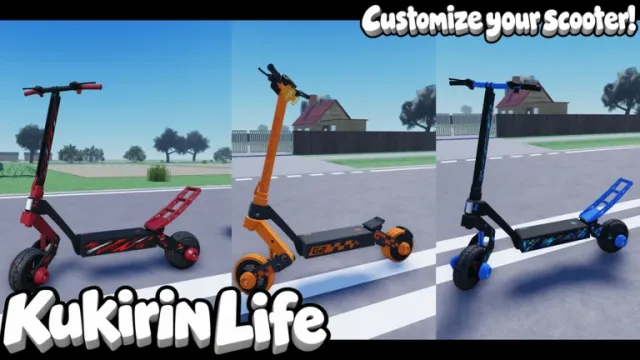
No Trees — Hide objects found in the configured tree folders.No Buildings — Hide objects in Workspace.Buildings.No Props + Lights — Hide configured map props and lights.No Powerlines — Hide configured powerline objects.No Hills — Hide configured hill objects.No Police — Hide police NPCs and monitor for newly added police objects while enabled.TP to My Ride — Teleport the character near their own ride.Pumpkin TP — Find the nearest Halloween pumpkin and teleport nearby.Rideout Teleports — Create teleport buttons for locations listed under Workspace.Rideout.POI Teleports — Create teleport buttons for points of interest listed under Workspace.POIs.Max Speed Unlocker — Find the player's numeric Top Speed value and allow it to be changed, if the value exists.Scooter Music ID — Send a numeric audio asset ID through the game's music remote.Scooter Music Search — Search discovered songs by name and display matching results.Roblox Audio Catalog Search — Search the public Roblox audio catalog for matching music.Music List Discovery — Search game remotes, modules, sounds, GUI objects, attributes, and values for song IDs and names.Music ID Playability Check — Silently preload an audio asset to check whether it appears to load.Reload Music List — Rebuild the discovered song list.Scooter Spawner — Display available rides and request spawning of a selected scooter.Scooter Purchase — Attempt to purchase a selected scooter when it is not already owned.Scooter Ownership Status — Show whether a listed scooter is already owned.Auto Claim Wheelie Time — Repeatedly claim the Wheelie Time achievement while enabled.Auto Claim Going Fast — Repeatedly claim the Going Fast achievement while enabled.Auto Claim Playtime — Repeatedly claim the Playtime achievement while enabled.Auto Collect Quests — Cycle through quest IDs 1–3 and repeatedly request their rewards.Take New Quest — Trigger the game's new-quest action.Auto Open Case — Repeatedly request opening the selected case while enabled.Case Win Notification — Display a popup when the script processes a case-win notification.Auto Event — Start an automated sequence intended to progress the Halloween event/key system.Close Key System — Provide a control associated with closing the key system.Auto Money — Run an automated vehicle routine that locates a target, floats and spins the vehicle, and applies a slight downward push.Auto Farm — Repeatedly simulate W and S input for the AFK-style farming routine.Auto Farm Wheelie (Stationary) — Attempt to hold the vehicle at a configured wheelie angle while keeping position and velocity near zero.Farm Wheelie Angle — Adjust the target angle used by the stationary wheelie routine.Stay On Vehicle (Anti-Ragdoll) — Attempt to keep the character seated and recover from ragdoll/falling states; the script labels this feature as “Not Working,” so it may be unreliable.Auto Wheelie — Use brief Left Control and S key taps to adjust vehicle pitch toward a target range.Auto Wheelie Speed Control — Apply speed while moving and attempt to maintain a configured maximum speed.Auto Wheelie Max Speed — Set the maximum speed used by the Auto Wheelie routine.Scooter Speed — Apply a target horizontal vehicle speed while W is held.Scooter Speed Target — Configure the target speed for the speed routine.Scooter Speed Acceleration — Configure acceleration for the speed routine.Owned Items List — Request inventory data and display owned items grouped by category.Refresh Items — Reload the owned-items display.Inventory Fallback List — Show a built-in sample list if inventory data cannot be retrieved; it may not reflect the player's actual items.Player List — Display player names, thumbnails, and scooter/frame information when available.Refresh Player List — Reload player information.Map Selector — Display map entries as buttons for activating or selecting maps.Procedural Map Builder — Create map geometry and scenery, including blocks, cylinders, spheres, beams, ramps, ground discs, signs, trees, lamps, cars, and cones.Map Area Builders — Build preset-style areas such as downtown, parks, a stadium, industrial and residential districts, parking lots, islands, and an arena with ramps.