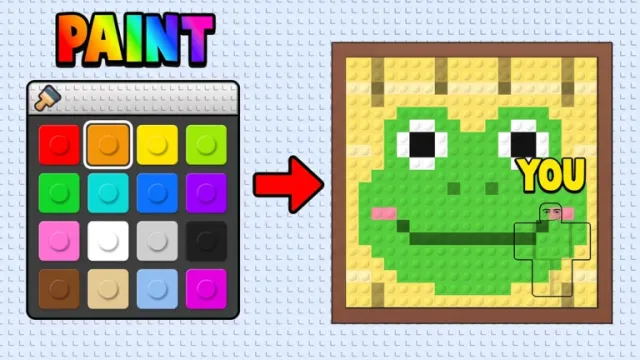
Blend Better with the Hide In Pixels Universal ScriptMake every pixel count in Roblox's colorful hide-and-seek showdown. This universal script setup focuses on the mechanics that matter: matching giant pixel-art paintings, preparing your block-by-block disguise, and staying still when it is time to hide.Camouflage-Focused FeaturesColor Match Assistant: Organize painting-inspired colors for a more consistent character disguise.Pixel Pattern Preview: Plan your block-by-block look before committing to your hiding strategy.Quick Palette Presets: Switch between saved color combinations as new paintings appear.Freeze Reminder: Keep a clear visual cue for when to stop moving and let your camouflage do the work.Round Tracker: Follow the first-to-two format with a compact score display.Win Streak Panel: Keep your streak goals visible between head-to-head matches.Clean Universal Menu: Group your disguise tools and round information in one streamlined interface.Example Keybinds[RightShift] - Toggle Menu[C] - Open Color Match Assistant[P] - Toggle Pattern Preview[V] - Cycle Palette Presets[T] - Show Round TrackerBuilt around pixel camouflage, quick preparation, and casual competition—an interface concept that keeps the painting at the center of every round.