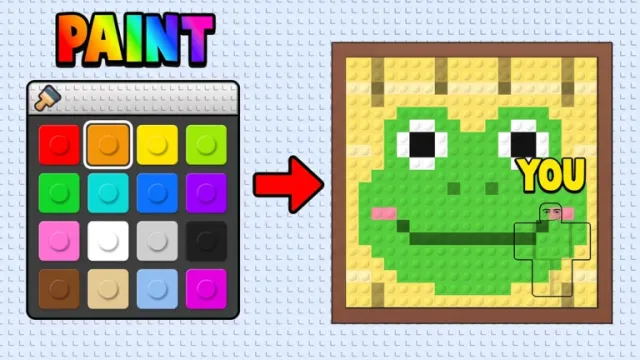
Blend In. Stay Still. Win the Pixel Showdown.Bring a convenient universal toolkit to Hide In Pixels, the Roblox party game where your character becomes part of a giant pixel-art painting. Match your colors block by block, choose your hiding position, and prepare for a first-to-two-rounds showdown.Tools for Pixel Hide-and-SeekPosition Controls: Fine-tune your movement while lining up with the painting before you freeze.Camera Zoom: Get a closer look at nearby pixel patterns or pull back to inspect the full composition.Player ESP: Keep track of your opponent's position during competitive hide-and-seek rounds.Movement Lock Toggle: Stop accidental movement once you have settled into your hiding spot.Minimal Menu: Keep controls organized without covering the artwork you need to match.Quick Settings: Switch your preferred visual and movement options between rounds.Example Keybind Layout[RightShift] - Toggle Menu[E] - Toggle Player ESP[F] - Toggle Movement Lock[Z] - Toggle Camera Zoom[R] - Reset SettingsWhether you enjoy tense one-on-one matches, colorful camouflage challenges, or friendly rounds in private servers, this Hide In Pixels universal script puts practical controls into one compact interface.