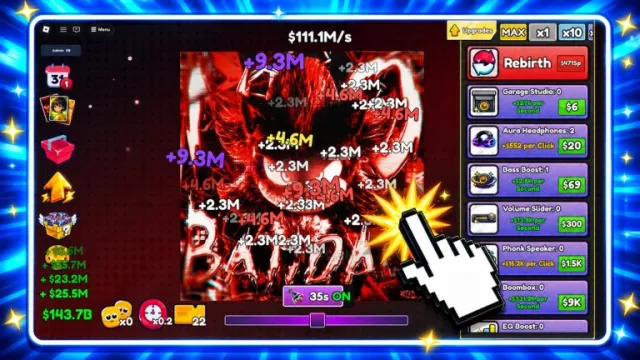
SOURCE TEXT
Script source file
Open the script file to view its code, then compare the features and requirements below.
https://rscripts.net/raw/phonk-clicker-auto-rebirth-auto-clicker_1792332630837_aklWFsWbwJ.txt
Open source file ↗
Creator description
--// AUTO CLICKER + AUTO REBIRTH GUI--// N = Auto Clicker | M = Auto Rebirthlocal Players = game:GetService("Players")local UIS = game:GetService("UserInputService")local ReplicatedStorage = game:GetService("ReplicatedStorage")local Remotes = ReplicatedStorage:WaitForChild("Remotes")local ClickEvent = Remotes:WaitForChild("ClickBrainrot")local RebirthEvent = Remotes:WaitForChild("Rebirth")local player = Players.LocalPlayerlocal playerGui = player:WaitForChild("PlayerGui")local old = playerGui:FindFirstChild("AutoFarmGUI")if old then old:Destroy() endlocal clickEnabled = falselocal rebirthEnabled = falselocal waitingFor = nillocal clickKey = Enum.KeyCode.Nlocal rebirthKey = Enum.KeyCode.Mlocal clickDelay = 0.1local rebirthDelay = 0.1--// GUIlocal gui = Instance.new("ScreenGui")gui.Name = "AutoFarmGUI"gui.ResetOnSpawn = falsegui.Parent = playerGuilocal frame = Instance.new("Frame")frame.Size = UDim2.fromOffset(300, 205)frame.Position = UDim2.new(0.5, -150, 0.5, -102)frame.BackgroundColor3 = Color3.fromRGB(28, 30, 42)frame.BorderSizePixel = 0frame.Parent = guiInstance.new("UICorner", frame).CornerRadius = UDim.new(0, 12)local title = Instance.new("TextLabel")title.Size = UDim2.new(1, 0, 0, 38)title.BackgroundColor3 = Color3.fromRGB(75, 95, 220)title.Text = "AUTO FARM CONTROLS"title.TextColor3 = Color3.new(1, 1, 1)title.Font = Enum.Font.GothamBoldtitle.TextSize = 15title.Active = truetitle.Parent = frameInstance.new("UICorner", title).CornerRadius = UDim.new(0, 12)local function makeButton(text, x, y, w, h, color) local b = Instance.new("TextButton") b.Position = UDim2.fromOffset(x, y) b.Size = UDim2.fromOffset(w, h) b.BackgroundColor3 = color b.Text = text b.TextColor3 = Color3.new(1, 1, 1) b.Font = Enum.Font.GothamBold b.TextSize = 12 b.BorderSizePixel = 0 b.Parent = frame Instance.new("UICorner", b).CornerRadius = UDim.new(0, 7) return bendlocal clickButton = makeButton( "Auto Click: OFF", 10, 52, 175, 36, Color3.fromRGB(45, 145, 90))local clickBind = makeButton( "Key: N", 195, 52, 95, 36, Color3.fromRGB(70, 80, 115))local rebirthButton = makeButton( "Auto Rebirth: OFF", 10, 98, 175, 36, Color3.fromRGB(45, 145, 90))local rebirthBind = makeButton( "Key: M", 195, 98, 95, 36, Color3.fromRGB(70, 80, 115))local hint = Instance.new("TextLabel")hint.Position = UDim2.fromOffset(10, 151)hint.Size = UDim2.new(1, -20, 0, 35)hint.BackgroundTransparency = 1hint.Text = "N: Clicker | M: Rebirth"hint.TextColor3 = Color3.fromRGB(200, 200, 215)hint.Font = Enum.Font.Gothamhint.TextSize = 12hint.Parent = frame--// Toggle stateslocal function updateUI() clickButton.Text = "Auto Click: " .. (clickEnabled and "ON" or "OFF") clickButton.BackgroundColor3 = clickEnabled and Color3.fromRGB(30, 190, 100) or Color3.fromRGB(75, 80, 100) rebirthButton.Text = "Auto Rebirth: " .. (rebirthEnabled and "ON" or "OFF") rebirthButton.BackgroundColor3 = rebirthEnabled and Color3.fromRGB(30, 190, 100) or Color3.fromRGB(75, 80, 100)endlocal function setClick(value) clickEnabled = value updateUI() if value then task.spawn(function() while clickEnabled do local ok, err = pcall(function() ClickEvent:FireServer(1) end) if not ok then warn("Auto Click error:", err) task.wait(1) else task.wait(clickDelay) end end end) endendlocal function setRebirth(value) rebirthEnabled = value updateUI() if value then task.spawn(function() while rebirthEnabled do local ok, err = pcall(function() RebirthEvent:InvokeServer() end) if not ok then warn("Auto Rebirth error:", err) task.wait(1) else task.wait(rebirthDelay) end end end) endendclickButton.Activated:Connect(function() setClick(not clickEnabled)end)rebirthButton.Activated:Connect(function() setRebirth(not rebirthEnabled)end)--// Custom keybind buttonsclickBind.Activated:Connect(function() waitingFor = "click" clickBind.Text = "Press key..."end)rebirthBind.Activated:Connect(function() waitingFor = "rebirth" rebirthBind.Text = "Press key..."end)UIS.InputBegan:Connect(function(input, processed) if waitingFor then if input.UserInputType ~= Enum.UserInputType.Keyboard then return end if waitingFor == "click" then clickKey = input.KeyCode clickBind.Text = "Key: " .. clickKey.Name else rebirthKey = input.KeyCode rebirthBind.Text = "Key: " .. rebirthKey.Name end waitingFor = nil return end if processed then return end if input.KeyCode == clickKey then setClick(not clickEnabled) elseif input.KeyCode == rebirthKey then setRebirth(not rebirthEnabled) endend)--// Draggable title barlocal dragging = falselocal dragStartlocal startPoslocal activeTouchtitle.InputBegan:Connect(function(input) if input.UserInputType == Enum.UserInputType.MouseButton1 or input.UserInputType == Enum.UserInputType.Touch then dragging = true dragStart = input.Position startPos = frame.Position if input.UserInputType == Enum.UserInputType.Touch then end endend)UIS.InputChanged:Connect(function(input) if not dragging then return end local movingMouse = input.UserInputType == Enum.UserInputType.MouseMovement local movingTouch = input.UserInputType == Enum.UserInputType.Touch and input == activeTouch if movingMouse or movingTouch then local delta = input.Position - dragStart frame.Position = UDim2.new( startPos.X.Scale, startPos.X.Offset + delta.X, startPos.Y.Scale, startPos.Y.Offset + delta.Y ) endend)UIS.InputEnded:Connect(function(input) if input.UserInputType == Enum.UserInputType.MouseButton1 or (activeTouch and input == activeTouch) then dragging = false activeTouch = nil endend)updateUI() 