Forsaken separates survivors completing objectives from killers trying to eliminate them. That role difference matters when comparing Forsaken scripts: a generator utility, an entity overlay and an ability-related combat claim describe different scopes. This page is tied to Forsaken Dev Team’s primary Roblox experience.
Our selected Cursed Hub source separates survivor and killer menus, describes generator entry and exit conditions and names several overlay categories. The Auto Repair and Killer ESP entry offers a smaller set centered on generators, entity displays and movement. Their connected reviews distinguish these scopes and the timing or supported game states that remain untested.
Compare survivor and killer context
A label such as player ESP is less precise than a source that separately names survivor, killer and objective displays. Generator interaction should also be distinguished from completing a particular puzzle. A list of ability names does not establish that those abilities work across characters or different match states.
Stamina and protection claims
An infinite-stamina or auto-block title describes a creator’s claim. It does not establish immunity, reliable timing or permission to use the menu in a match. A no-key flag concerns access to the source and says nothing about the accuracy of those claims. We do not convert promotional wording into a performance guarantee.
Do generator tools apply to every Forsaken role?
The selected descriptions do not establish that. Survivor objectives, killer information and character abilities require different context. Check the sourceʼs stated role and supported task before assuming wider coverage.
This is a narrower Forsaken source than the selected generator-and-stamina listing. Its short description concentrates on objective repair, entity information and movement.
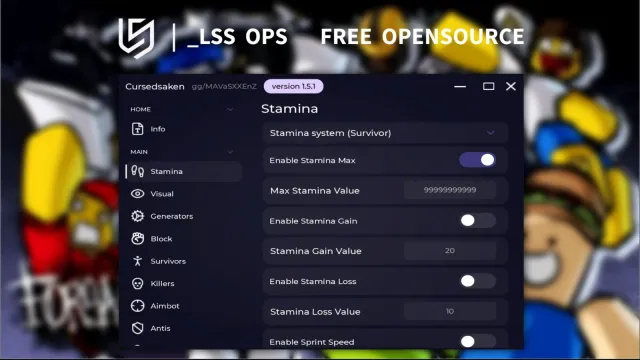
Cursed Hub separates survivor and killer stamina menus and names generator, item and projectile information. Its generator section gives more task detail than a generic repair title.
Explore Auto farm, Interface. View the script for features and requirements.
Mobile-readyKey requiredFree
A FEW THINGS TO KNOW
Choosing a Forsaken script
Understand the labels before opening an entry.
How do I find a script that fits my game?+
Start with this game’s selected listings, compare the feature descriptions and check key, platform and access requirements. Use the filters to narrow the full catalog.
What is a script key system?+
Some scripts require a separate key from their creator before use. That is different from an executor software license. Check the individual entry for its requirements.
How do I choose a platform?+
Choose your device platform to narrow the listings, then open a script to check its individual executor requirements. Mobile-ready is a separate listing label; not every entry has platform details.
What does the listing update date mean?+
The date refers to the creator’s script listing. Check its feature and access notes for changes. Game updates and listing updates can happen at different times.